Day: July 11, 2025

  • 15 Proven Steps to Write SEO Optimized Blog Posts for WordPress in 2025

    15 Proven Steps to Write SEO Optimized Blog Posts for WordPress in 2025

    15 Proven Steps to Write SEO Optimized Blog Posts for WordPress in 2025

    If you’re running a WordPress blog in 2025, writing SEO optimized content is no longer optional. It’s essential for ranking higher on Google, driving organic traffic, and converting readers into subscribers or customers.

    This guide outlines 15 proven steps to help you create SEO-friendly blog posts that Google loves and users enjoy reading.

    Why SEO Blog Posts Still Matter in 2025

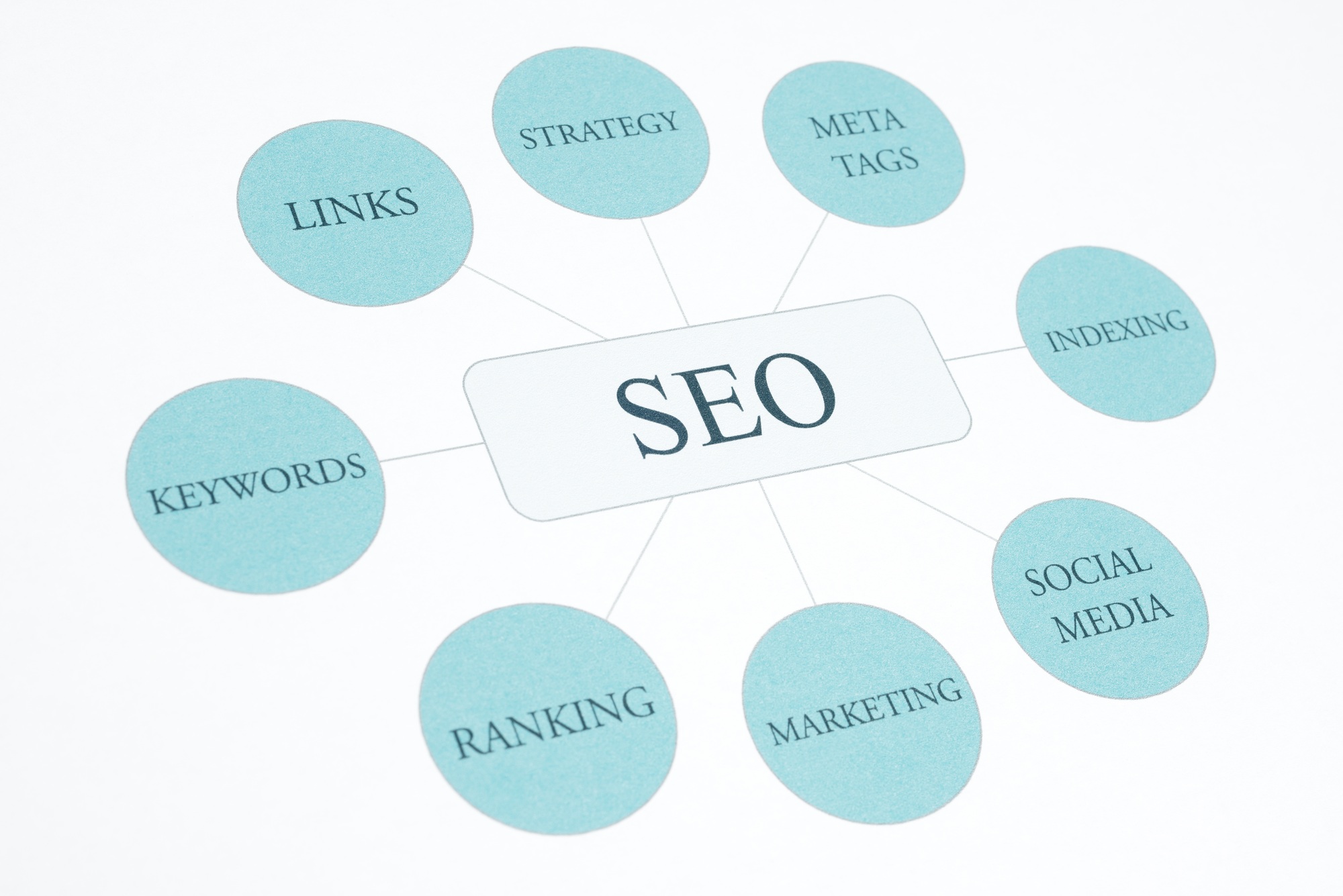
    SEO Optimized Blog Posts for WordPress
    SEO

    Search engines like Google still rely heavily on content quality, keyword relevance, and structure when deciding which pages to rank.

    By writing SEO-optimized blog posts:

    • You increase your chances of ranking for high-value keywords

    • You enhance user experience through better structure and readability

    • You build topical authority in your niche over time

    Let’s get into the step-by-step approach.

    1. Choose a Long-Tail Focus Keyword

    Start with a specific, search-driven keyword that solves a user problem.

    Example: Instead of using “SEO,” target “how to write SEO optimized blog posts for WordPress.”

    Use tools like:

    2. Analyze Search Intent

    Understand what users expect when they search your keyword. Are they looking for a guide, a tutorial, or a list?

    Match your blog format to intent—use a listicle, how-to, or comparison format as needed.

    3. Research Top-Ranking Competitors

    Use Google Search to find the top 5 pages ranking for your keyword. Analyze:

    • Word count

    • Heading structure

    • FAQs or snippets

    • Internal and external links

    This gives you a benchmark to beat.

    4. Create an SEO-Friendly Title and URL

    Your title should include your focus keyword naturally and promise value (preferably with a number or benefit).

    Good Example:
    15 Proven Steps to Write SEO Optimized Blog Posts for WordPress

    Keep your URL short and keyword-rich:
    /seo-optimized-blog-posts-wordpress

    5. Write an Engaging Introduction

    Grab attention immediately. Use a short hook, explain the value of your article, and introduce the topic clearly.

    Avoid long intros—get to the point quickly.

    6. Use H1, H2, and H3 Headings Strategically

    Headings help both readers and search engines understand your content hierarchy.

    Structure Example:

    • H1: Title (Only once)

    • H2: Major sections (e.g., Step 1, Step 2)

    • H3: Subpoints within each step

    7. Keep Paragraphs Short and Scannable

    Large text blocks drive readers away. Break content into short 2–3 line paragraphs. Use:

    • Bullet points

    • Numbered steps

    • Bold for key terms

    • Quotes or callouts

    8. Optimize the First 100 Words

    Google gives weight to content at the top of the page. Place your keyword within the first paragraph, preferably in the first sentence.

    9. Use Internal Links and External Links

    Link to relevant internal blog posts and reputable external sources.

    Internal link examples:

    • Related posts on your blog

    • Category or tag archive pages

    External links:

    Always open external links in a new tab (target="_blank").

    10. Optimize Images with Alt Text and Compression

    Every image should have:

    • Descriptive alt text with relevant keywords

    • Proper file name (e.g., seo-checklist-2025.png)

    • Compressed size using tools like TinyPNG or Smush

    11. Write a Strong Meta Title and Description

    Using Rank Math, create:

    • A meta title under 60 characters with the focus keyword

    • A meta description under 155 characters with a call to action

    Example:
    Meta Title: 15 Steps to Write SEO Optimized Blog Posts for WordPress
    Meta Description: Learn how to write SEO optimized blog posts for WordPress in 2025. Follow these 15 steps to improve rankings and boost blog traffic fast.

    12. Add Schema Markup (FAQ or Article)

    Use Rank Math to add Article Schema and optionally include FAQ Schema. This improves your chance of appearing in rich results.

    13. Format for Readability and Mobile

    Most traffic in 2025 is mobile. Ensure your blog:

    • Has enough white space

    • Uses readable font sizes

    • Avoids pop-ups or layout shifts

    • Is responsive on all devices

    14. Add a Clear Call to Action (CTA)

    End every post with a CTA that encourages users to take the next step.

    Examples:

    • “Download our free SEO checklist”

    • “Subscribe for weekly blog tips”

    • “Check out our WordPress SEO course”

    15. Promote and Update Regularly

    After publishing:

    • Share on social platforms (LinkedIn, Pinterest, Twitter)

    • Repurpose into emails or short videos

    • Monitor traffic in Google Analytics

    • Update posts every 3–6 months with fresh info

    Final Thoughts: Write Smarter, Rank Higher

    Writing SEO optimized blog posts for WordPress in 2025 doesn’t have to be complicated. With a clear strategy, strong keyword usage, and well-structured formatting, you can rank higher and attract more readers consistently.

    Ready to optimize your blog content?
    Start with your next post using these 15 steps and track your growth with tools like Rank Math and Google Search Console.


    Email Address: eddievo@ve-studios.com

  • 13 Smart Ways to Increase Domain Authority Fast in 2025 (Proven SEO Tips)

    13 Smart Ways to Increase Domain Authority Fast in 2025 (Proven SEO Tips)

    13 Smart Ways to Increase Domain Authority Fast in 2025 (Proven SEO Tips)

    Increase Domain Authority Fast
    Mobile Road Police Radar On Tripod For Traffic Speed Control. Control Speed Limit. Speed Camera On

    Improving your domain authority (DA) is one of the most powerful things you can do to strengthen your site’s visibility in search results. While it’s not a direct Google ranking factor, a high DA score from tools like Moz reflects a strong backlink profile and SEO foundation.

    If you want to increase your domain authority fast in 2025, you need a strategy focused on content quality, link building, and technical SEO. Below are 13 proven techniques to grow your authority and outperform competitors.

    What Is Domain Authority (DA)?

    Domain Authority is a metric developed by Moz to predict how well a website will rank on search engine result pages (SERPs). It’s scored from 1 to 100.

    Key factors influencing DA:

    • Quality and quantity of backlinks

    • Domain age and trustworthiness

    • Technical SEO structure

    • Internal linking and content strength

    Now let’s explore how to improve it quickly and effectively.

    1. Publish High-Quality, Link-Worthy Content

    Content is still king. To get backlinks naturally, you need to create original, useful, and well-structured content that people want to reference.

    Types of linkable content:

    • In-depth guides

    • Case studies

    • Research and data-based posts

    • Industry statistics

    Long-form content tends to attract more backlinks than short posts.

    2. Build High-Quality Backlinks

    Backlinks are the backbone of domain authority. Focus on earning links from websites with high DA themselves.

    Effective backlink strategies:

    • Guest posting on authority sites

    • Resource page outreach

    • Skyscraper technique (improving popular posts and asking for links)

    • Podcast interviews and expert roundups

    Avoid buying links or participating in shady link schemes—these can hurt your authority.

    3. Use Internal Linking Strategically

    Strong internal linking helps spread authority throughout your website. It also improves crawlability and keeps users on your site longer.

    Best practices:

    • Link to related blog posts

    • Use keyword-rich anchor text

    • Maintain a clear content hierarchy

    Tools like Link Whisper can help automate internal linking in WordPress.

    4. Optimize On-Page SEO

    Every post should be optimized for on-page SEO. This includes:

    • Proper H1, H2, and H3 usage

    • Meta title and meta description

    • Focus keyword placement in URL, title, headers, and first 100 words

    • Optimized images with alt text

    • Fast loading speed

    Use Rank Math SEO to ensure perfect on-page SEO scores.

    5. Remove or Disavow Toxic Backlinks

    Toxic links from spammy domains can lower your DA. Use tools like Ahrefs or SEMrush to analyze your link profile and remove harmful links.

    You can disavow bad links using Google’s Disavow Tool.

    6. Get Listed on Trusted Directories

    Niche and local directories provide valuable backlinks that boost your site’s credibility.

    Examples:

    • Google Business Profile (for local SEO)

    • Clutch, G2, or ProductHunt (for SaaS businesses)

    • Industry-specific directories

    Make sure the directory is reputable and relevant.

    7. Promote Content Through Outreach

    If you don’t promote your content, nobody will link to it. Reach out to bloggers, journalists, and influencers in your niche.

    Tips:

    • Offer value in your outreach

    • Personalize every email

    • Target those who’ve linked to similar content

    Tools like Hunter.io and BuzzStream simplify this process.

    8. Focus on Topical Authority

    Create content around a single niche and build topic clusters. This signals expertise to Google and encourages stronger internal links.

    For example:
    If your niche is SEO, publish articles on:

    • On-page SEO

    • Off-page SEO

    • Technical SEO

    • Local SEO

    Link them all to a pillar page like “The Ultimate SEO Guide.”

    9. Fix Technical SEO Errors

    A technically sound website builds trust with both users and search engines. Use Google Search Console and Screaming Frog to audit your site.

    Check for:

    • Broken links

    • Duplicate content

    • Crawl errors

    • Mobile-friendliness

    • HTTPS usage

    10. Improve Website Speed and Core Web Vitals

    Fast-loading websites offer better user experience and rank higher.

    Tools to improve speed:

    Also compress images using Smush.

    11. Publish Consistently

    A consistent publishing schedule shows search engines your site is active. Aim to post 1–2 times per week with optimized, quality content.

    12. Leverage Social Sharing

    While social shares don’t directly impact DA, they increase visibility and chances of earning links.

    Promote content on:

    • Twitter

    • LinkedIn

    • Pinterest (especially for visual content)

    • Reddit (in relevant subreddits)

    Add sharing buttons with plugins like Social Warfare.

    13. Monitor DA Growth and SEO Progress

    Use tools like Moz Link Explorer, Ahrefs, or Ubersuggest to track your DA over time.

    Track:

    • Backlink growth

    • Referring domains

    • Domain Rating (DR) vs Domain Authority (DA)

    • Organic keywords and traffic

    Final Thoughts: Build Authority with Smart SEO

    Improving domain authority isn’t about shortcuts—it’s about consistently applying high-quality SEO and link-building strategies. If you follow these 13 methods, you’ll see measurable growth in your site’s authority and search engine rankings.

    Action Plan:

    • Start by publishing link-worthy content

    • Build backlinks through outreach and guest posts

    • Fix technical issues and optimize for speed

    • Monitor your DA monthly and adjust your strategy

    Ready to boost your SEO authority? Begin with the strategy that fits your niche and watch your domain authority climb.

    Email Address: eddievo@ve-studios.com

  • 13 Best Content Marketing Strategies for Small Businesses in 2025

    13 Best Content Marketing Strategies for Small Businesses in 2025

    13 Best Content Marketing Strategies for Small Businesses in 2025

    In a digital-first world, content marketing remains one of the most effective tools for small businesses to attract customers, build trust, and generate leads. But the way content is consumed and ranked has changed significantly. In 2025, the focus is on quality, personalization, and consistency.

    If you’re running a small business, you don’t need a big budget to succeed—you need a smart content plan. Below are 13 proven content marketing strategies for small busi

    Content Marketing Strategies for Small Businesses in 2025
    Content marketing

    nesses that work right now.

    Why Content Marketing Is Essential for Small Businesses

    Content marketing allows businesses to:

    Build brand authority

    Educate and nurture potential customers

    Improve search engine visibility

    Generate organic leads

    Unlike paid advertising, content compounds over time—providing long-term results with consistent effort.

    1. Define a Clear Content Marketing Goal

    Start with your “why.” Know what you want your content to achieve:

    Generate leads

    Drive traffic

    Build brand trust

    Educate customers

    Align each piece of content with that goal.

    2. Identify and Understand Your Target Audience

    Know who you’re writing for. Create buyer personas that define your audience’s:

    Age, location, profession

    Pain points

    Preferred content format

    Common questions

    This helps you craft relevant and engaging content.

    3. Focus on Long-Tail SEO Keywords

    Targeting long-tail keywords gives you a better chance to rank in search results. Use tools like:

    Ubersuggest

    AnswerThePublic

    Google Keyword Planner

    Example: Instead of “marketing,” target “best content marketing strategies for small businesses in 2025.”

    4. Build a Content Calendar

    Consistency is critical. Plan a 30–60 day calendar that includes:

    Blog post titles and target keywords

    Social media posts

    Email campaigns

    Promotional plans

    Use tools like Trello, Notion, or Google Sheets to organize everything.

    5. Publish SEO-Optimized Blog Posts

    Create in-depth blog posts around relevant keywords. Each post should include:

    Keyword in title, URL, and meta

    H1, H2, and H3 headers

    Internal and external links

    Short paragraphs

    Images with alt text

    Use Rank Math SEO to optimize on WordPress.

    6. Repurpose Content into Multiple Formats

    Don’t let a single blog post live in isolation. Repurpose it into:

    Infographics

    YouTube videos

    Email newsletters

    Instagram carousels

    LinkedIn articles

    This increases reach across platforms.

    7. Use Storytelling to Connect

    Storytelling makes content more relatable. Share:

    Customer success stories

    Behind-the-scenes of your team

    Lessons from business challenges

    Stories build trust and emotional engagement.

    8. Create Evergreen Content

    Evergreen content continues to attract traffic over time. Examples include:

    “How to” guides

    FAQs

    Tutorials

    Tool comparisons

    Strategy explainers

    Update evergreen content yearly to keep it relevant.

    9. Collaborate with Influencers or Micro-Creators

    Partner with local influencers or industry experts. This expands your reach and lends credibility to your content.

    Tips:

    Host interviews

    Co-author guest posts

    Share content on each other’s platforms

    10. Offer Free Lead Magnets

    Lead magnets attract email subscribers. Offer value in exchange for contact details.

    Examples:

    Free PDF checklists

    Mini eBooks

    Templates

    Webinars

    Discounts

    Promote them through blog posts, pop-ups, and social media.

    11. Focus on Video Content

    Video is now prioritized across nearly all platforms. Use short-form video on:

    Instagram Reels

    YouTube Shorts

    TikTok

    LinkedIn videos

    Also embed video on your blog to improve dwell time and engagement.

    12. Share User-Generated Content

    Encourage happy customers to create content about your brand.

    Examples:

    Testimonials

    Product reviews

    Social media shoutouts

    Repost with permission and tag them—it creates trust with future buyers.

    13. Track and Optimize with Analytics

    Use tools like Google Analytics and Google Search Console to measure:

    Top-performing content

    Traffic sources

    Bounce rate

    Time on site

    Conclusion: Start Small, Scale Smart

    Content marketing doesn’t require a big team or budget. It requires the right strategy and commitment to consistency. These 13 content marketing strategies for small businesses are designed to work now—and in the future.

    Next Steps:

    Pick 3–4 strategies to start this week

    Build a 30-day content calendar

    Use Rank Math SEO for on-page optimization

    Measure, refine, and repeat

    The best time to invest in content marketing is today. The earlier you start, the faster you grow.

    Email Address: eddievo@ve-studios.com

  • 11 Expert Tips on How to Start a Successful Blog in 2025 (Step-by-Step Guide)

    11 Expert Tips on How to Start a Successful Blog in 2025 (Step-by-Step Guide)

    How to Start a Successful Blog in 2025 (11 Proven Tips for Beginners)

    Blogging is still one of the best ways to share ideas, build authority, and earn online. But starting a successful blog in 2025 takes more than just publishing random posts. It requires strategy, planning, SEO, and smart tools.

    Whether you’re a beginner or switching from a personal blog to a professional one, this guide will walk you through everything you need to know. Let’s dive into the

    How to Start a Successful Blog in 2025
    Businessman shake hands after agreeing to start a new project successfully.

    11 essential steps.

    1. Choose a Profitable Blog Niche

    Your niche determines your blog’s success. Choose a topic you’re passionate about—but also one with proven audience demand.

    Popular blog niches in 2025 include:

    • AI and tech tutorials

    • Personal finance and investing

    • Health and wellness

    • Productivity and remote work

    • Lifestyle and travel

    Use tools like Google Trends to validate niche interest.

    2. Pick the Right Blogging Platform

    For full control and long-term growth, use self-hosted WordPress (WordPress.org) over free platforms.

    Recommended Hosting Providers:

    WordPress gives you access to SEO plugins, themes, and endless customization.

    3. Choose a Blog Name and Domain

    Pick a name that’s memorable, easy to spell, and reflects your niche.

    Domain tips:

    • Keep it short (under 15 characters)

    • Avoid hyphens or numbers

    • Use .com or relevant TLDs like .blog or .io

    Use Namecheap or GoDaddy to register your domain.

    4. Design Your Blog with a Clean Theme

    A modern, fast-loading theme improves user experience and SEO.

    Recommended Free Themes:

    • Astra

    • GeneratePress

    • Kadence

    • Blocksy

    All work well with the Gutenberg editor and are mobile-optimized.

    5. Install Essential WordPress Plugins

    Plugins add functionality to your blog. Here are key free plugins every new blogger should use:

    These tools help with SEO, speed, and content management.

    6. Plan Your Content Strategy

    Before writing, brainstorm 20–30 blog post ideas around your niche. Use keyword tools like:

    Group them into categories like tutorials, listicles, reviews, or opinion posts.

    7. Write SEO-Optimized Blog Posts

    Every blog post should:

    • Target a long-tail keyword

    • Have a compelling title and meta description

    • Use H2 and H3 headings

    • Include internal links to your own content

    • Optimize images with alt text

    • End with a strong call-to-action (CTA)

    Use Rank Math for real-time SEO scoring.

    8. Build an Email List from Day One

    Email subscribers are loyal readers. Use tools like:

    Offer a free download (lead magnet) like a checklist or mini course to get signups.

    9. Promote Your Blog on Social Media

    Choose 1–2 platforms where your audience hangs out and be consistent.

    Tips:

    • Use Pinterest for traffic-heavy niches like travel, food, or DIY

    • Use Twitter for tech or business niches

    • Automate sharing using tools like Buffer

    10. Learn Basic SEO Principles

    Organic search traffic is your blog’s biggest asset. Learn:

    • How to do keyword research

    • The importance of backlinks

    • How to improve page speed

    • On-page SEO best practices

    Use Ahrefs or Google Search Console to track performance.

    Be Consistent and Patient

    Blogging is not a get-rich-quick scheme. It takes months to build traffic and authority.

    Schedule:

    • Publish at least 1 post per week

    • Update old content regularly

    • Track traffic and rankings monthly

    Stay focused. Keep learning and improving.

    Conclusion: Start Smart and Grow Steady

    Starting a successful blog in 2025 is fully possible with the right mindset, tools, and strategy. Focus on quality content, smart SEO, and consistent publishing.

    What to Do Next:

    • Choose your niche and register your domain

    • Install WordPress and essential plugins

    • Plan your first 5 blog posts using keyword research

    • Use Rank Math to optimize from day one

    Your blogging journey starts now—start strong and grow smart.

    Email Address: eddievo@ve-studios.com

  • Top 7 Corporate Video Production Strategies to Grow Your Brand in 2025

    Top 7 Corporate Video Production Strategies to Grow Your Brand in 2025

    Top 7 Corporate Video Production Strategies to Grow Your Brand in 2025

    Introduction

    In today’s fast-paced digital world, brands need more than good visuals to stay ahead. Corporate video production strategies help businesses deliver compelling stories, connect emotionally with audiences, and drive measurable growth. As we step into 2025, applying the right strategies can set your brand apart from competitors and future-proof your marketing efforts.

    Let’s explore seven actionable video strategies that can transform how your brand connects and converts.

     1. Focus on Story-Driven Content

    Audiences remember stories, not statistics. Great corporate videos go beyond product features; they narrate why your brand exists and how it helps customers.

    Tips:

    • Start with your brand’s mission.

    • Highlight real customer success stories.

    • Use a clear beginning, middle, and end.

    By embedding storytelling into your corporate video production strategies, you’ll create content that resonates and is shareable.

     2. Embrace Short-Form Videos

    Short-form videos (under 60 seconds) continue to dominate platforms like LinkedIn, Instagram, and TikTok. They boost reach, especially among younger audiences.

    Examples:

    • Quick product demos

    • Behind-the-scenes teasers

    • Customer testimonials

    Short videos complement long-form content, increasing brand visibility and engagement.

     3. Optimize for SEO and Accessibility

    Great videos are wasted if people can’t find or access them.

    Key steps:

    • Use the focus keyword (e.g., corporate video production strategies) in titles and descriptions.

    • Add closed captions and subtitles.

    • Create video transcripts for your blog.

    This boosts discoverability and ensures your content reaches diverse audiences.

     4. Highlight Authenticity

    Audiences trust real, unpolished content over overly scripted ads. Show your team, culture, and processes honestly.

    Ideas:

    • Employee interviews

    • Office tours

    • Project highlights

    Authentic videos humanize your brand, increasing trust and loyalty.

     5. Integrate Video into Your Sales Funnel

    Don’t just use videos for awareness — use them to drive conversions.

    Suggestions:

    • Explainer videos on landing pages

    • FAQ videos for common objections

    • Personalized video messages for leads

    Video content supports buyers at each stage, moving them closer to a decision.

     6. Repurpose Content Across Channels

    Maximize ROI by reusing video content in multiple formats.

    How:

    • Turn webinars into highlight reels.

    • Use testimonials in social media ads.

    • Convert live streams into training clips.

    Repurposing keeps your brand message consistent and saves time Content Marketing Institute on storytelling

     Track Performance and Iterate

    Success isn’t just about creating videos — it’s about measuring impact.

    Metrics to track:

    corporate video production strategies
    LED studio lights with reflectors.It designed for film and photography and video production.
    • View duration

    • Click-through rates

    • Conversions

    Analyze data to refine your corporate video production strategies over time.

    Another critical aspect of successful corporate video production strategies is consistency. Regularly producing high-quality video content keeps your brand top-of-mind with your target audience. By planning a content calendar that aligns with product launches, events, or seasonal campaigns, you ensure your messaging remains relevant and timely.

    Moreover, invest in professional voiceovers and clear on-screen text to increase accessibility and broaden your reach. Audiences today consume content on the go, often without sound, so captions help retain attention.

    Finally, don’t forget to analyze your video metrics—such as watch time, click-through rates, and audience retention. Data-driven decisions will help you refine future videos, making every piece of content more effective and impactful for your brand’s goals.

    Beyond production itself, promoting your videos across social media platforms, email newsletters, and your website can significantly extend their reach. Collaborate with influencers or industry partners to share your content and tap into new audiences. This multi-channel approach ensures your brand story resonates widely and drives measurable engagement.

     Conclusion: Start Elevating Your Brand Today

    By adopting these corporate video production strategies, your brand can stay ahead in 2025. Focus on storytelling, SEO, authenticity, and data-driven improvement to create lasting impact.

    Ready to transform your business through video? Contact VE Studios to craft compelling, high-quality content tailored to your brand goals.

    Email Address: eddievo@ve-studios.com

  • Top 7 Corporate Video Production Strategies to Elevate Your Brand in 2025

    Top 7 Corporate Video Production Strategies to Elevate Your Brand in 2025

    Top 7 Corporate Video Production Strategies to Elevate Your Brand in 2025

    Video marketing continues to dominate digital engagement — and for businesses in 2025, corporate video production strategies aren’t optional; they’re essential. The right approach can transform brand awareness, deepen trust, and drive measurable ROI.

    “In today’s competitive landscape, adopting effective corporate video production strategies is essential to keep your brand relevant and engaging.”

    In this post, discover seven evergreen video strategies your brand can use to stay competitive, authentic, and ahead of trends.

    corporate video production strategies
    Camera for video production are shooting cinematography.

    1. Start with Story, Not Just Style

    Great corporate videos are built around compelling stories — not fancy graphics alone. Ask:

    • What’s the story you want your audience to remember?

    • Why should they care?

    By focusing on brand purpose, values, and customer needs, your videos will resonate emotionally, making them memorable and shareable.

    2. Invest in Evergreen Video Content

    Timeless content provides long-term ROI:

    • Brand introduction videos

    • FAQs and how-to guides

    • Customer testimonials

    • Culture and recruitment videos

    These videos remain relevant, driving organic traffic and supporting SEO for years.

    Tip: Add fresh updates or captions to keep them current without re-filming.

    3. Optimize Videos for SEO

    Even the best content can get lost if it isn’t discoverable:

    • Use your focus keyword (corporate video production strategies) in titles and descriptions

    • Add transcripts and captions for accessibility

    • Embed videos on your website with keyword-rich surrounding text

    • Host on YouTube or Vimeo and link back to your site

    This helps search engines understand and index your content.

    4. Embrace Multi-Platform Storytelling

    Audiences don’t live on a single channel. Share your videos on:

    • LinkedIn for B2B engagement

    • Instagram Reels and TikTok for behind-the-scenes or culture clips

    • YouTube for longer educational videos

    • Email newsletters for direct reach

    Repurpose the same video into multiple formats (shorts, stories, teasers) to extend reach.

    5. Use Data to Improve Every Video

    Track metrics like:

    • Average watch time

    • Engagement rates (likes, shares, comments)

    • Click-through rates from video CTAs

    Regularly review what performs best and refine future scripts, visuals, and lengths to align with audience preferences.

    6. Focus on Authentic Brand Storytelling

    Audiences crave honesty over perfection. Showcase real employees, customer stories, and genuine moments. Avoid overly scripted content when possible — conversational tones and candid interviews often resonate better.

    Authenticity builds trust, which drives loyalty and conversions.

    A recent HubSpot report on video marketing trends shows short-form videos have the highest ROI among formats.

    7. Include Clear CTAs (Calls to Action)

    Don’t let engagement stop at the video. Encourage viewers to:

    • Visit your website

    • Contact your sales team

    • Subscribe to your channel

    • Download a resource

    Use on-screen text, voiceovers, and end screens to guide next steps.

    According to the Content Marketing Institute, storytelling helps brands build emotional connections that drive engagement.

    Why These Strategies Matter in 2025

    The digital landscape changes, but fundamentals stay the same:

    • Authentic storytelling connects people

    • SEO and optimization expand visibility

    • Consistent analysis drives growth

    Brands that combine creativity with data-backed strategy will thrive — regardless of new trends.

    • “How to Choose the Right Corporate Video Style for Your Brand”

    • “5 Ways to Repurpose Video Content for Social Media”

    • “Understanding Video SEO: Tips to Rank Your Brand Videos”

    Quick Recap: Your 2025 Strategy Checklist

    •  Story-first approach

    •  Evergreen content library

    •  Strong video SEO

    •  Multi-platform repurposing

    •  Data-driven optimization

    •  Authentic storytelling

    •  Clear CTAs

    • Beyond these strategies, remember that video production is as much about continuous learning as it is about execution. Monitor trends, test new formats, and regularly update your content library. This proactive approach ensures your brand stays ahead of competitors and resonates with evolving audience expectations, keeping your message powerful and relevant in 2025 and beyond.

    Conclusion: Future-Proof Your Brand with Video

    Video isn’t just content — it’s your brand’s most engaging asset. At VE Studios, we help businesses turn strategy into results with professional video production.

    “By following these corporate video production strategies, your brand can connect authentically and boost growth in 2025.

    Email Address: eddievo@ve-studios.com

  • 21 Proven Ways to Increase Website Traffic Organically in 2025

    21 Proven Ways to Increase Website Traffic Organically in 2025

    21 Proven Ways to Increase Website Traffic Organically in 2025

    Growing website traffic without relying on ads is the dream of every website owner. Organic traffic—visitors who find your site through unpaid search results—is not only sustainable but also cost

    Increase Website Traffic Organically in 2025
    Boost Traffic to Your Website. Improve Performance with SEO Strategy.

    -effective. But in 2025, search algorithms are smarter, and user expectations are higher. You need a solid, updated strategy to stay ahead.

    This post breaks down 21 actionable strategies to increase website traffic organically—designed for bloggers, entrepreneurs, and small businesses aiming for long-term SEO success.

    Why Organic Traffic Matters in 2025

    Organic traffic remains the most trusted and scalable traffic source. It brings in users who are actively searching for your content, products, or solutions.

    Key Benefits:

    • No ongoing ad spend

    • Better user engagement

    • Higher conversion potential

    • Long-term visibility in search engines

    Let’s explore how you can tap into that power effectively.

    1. Optimize for Long-Tail Keywords

    Use highly targeted long-tail keywords like “how to increase website traffic organically in 2025” instead of broad terms like “SEO.”

    Tip: Use tools like Ubersuggest or AnswerThePublic to find real search queries.

    2. Publish High-Quality, In-Depth Content

    Google prioritizes helpful, comprehensive content that answers user intent. Aim for posts that are 1,000–2,000 words, well-structured, and clearly written.

    3. Create Evergreen Content

    Evergreen content drives traffic over the long term. Examples include tutorials, how-to guides, and case studies.

    Examples:

    • “How to Start a Blog in 2025”

    • “Beginner’s Guide to SEO”

    • “Top 10 WordPress Plugins for Bloggers”

    4. Improve Your On-Page SEO

    Make sure every post has:

    • Keyword in title, URL, and meta description

    • H1 and H2 headers

    • Internal links to related posts

    • Alt tags for images in Increase Website Traffic Organically in 2025

    Use Rank Math to optimize posts directly inside WordPress.

    5. Write Click-Worthy Meta Titles and Descriptions

    Good SEO starts with enticing users to click.

    Best Practices:

    • Keep title under 60 characters

    • Include your focus keyword

    • Make your description action-oriented

    6. Update Old Content Regularly

    Google rewards fresh, relevant content. Revisit old posts every 6 months to update stats, improve readability, and add keywords.

    7. Create Topic Clusters and Pillar Pages

    Instead of writing random blog posts, organize content into clusters around core topics. Link them together with a pillar post.

    8. Focus on Core Web Vitals

    In 2025, Google’s ranking is increasingly based on performance. Use tools like PageSpeed Insights to fix issues.

    9. Optimize for Mobile

    Over 60% of web traffic is mobile. Use a responsive theme and check your site on different screen sizes.

    10. Use Schema Markup

    Add structured data to your posts with Rank Math or Google’s Structured Data Markup Helper. This can enhance your search appearance with rich results.

    11. Leverage Internal Linking

    Internal links improve SEO and help Google crawl your content. Link related blog posts, categories, and cornerstone pages.

    12. Guest Post on Relevant Websites

    Backlinks are still one of the top-ranking factors. Publish quality guest posts with links back to your site.

    Use platforms like:

    13. Add Social Sharing Buttons

    While not a direct SEO signal, social shares bring visibility and backlinks. Use plugins like Social Warfare.

    14. Use FAQs to Target Voice Search

    Voice search continues to grow. Add FAQ sections using the FAQ Schema block for quick answers and increased chances of appearing in featured snippets.

    15. Repurpose Content Across Channels

    Turn blog posts into:

    • YouTube videos

    • LinkedIn articles

    • Twitter threads

    • Infographics

    This expands reach and earns backlinks in Increase Website Traffic Organically in 2025

    16. Build a Strong Backlink Profile

    Use tools like Ahrefs to analyze competitors’ backlinks and replicate the best ones. Write high-quality guest content and contribute to roundups.

    17. Improve Dwell Time

    Engaging content keeps visitors on your site longer. Use:

    • Short paragraphs

    • Strong intros

    • Clear formatting in Increase Website Traffic Organically in 2025

    • Multimedia (images, videos, infographics)

    18. Promote Through Email Marketing

    Send blog updates to your subscribers using MailPoet or MailerLite. Email is still one of the best organic drivers of traffic.

    19. Submit to Google News

    If your content qualifies as newsworthy or timely, submit it to Google News. This can result in huge traffic surges.

    20. Analyze Traffic Sources with Google Analytics

    Track which sources are sending traffic using Google Analytics. Optimize the channels that work best.

    21. Stay Consistent and Patient

    Organic traffic takes time to build. Stay consistent with posting, monitor analytics, and update strategies based on what works.

    Conclusion: Build Sustainable Traffic the Smart Way

    Increasing website traffic organically in 2025 requires a long-term, strategy-first mindset. By applying these 21 proven techniques, you’ll build a traffic system that doesn’t rely on paid ads or risky shortcuts.

    Action Steps:

    • Start with 3–5 strategies this week

    • Use SEO tools like Rank Math and Google Search Console

    • Measure and adjust monthly based on traffic data

    If you’re ready to grow your blog sustainably, this is your starting point. Want help applying these tactics? Stay tuned for detailed tutorials and tool reviews.

    Email Address: eddievo@ve-studios.com

  • 15 Best Free WordPress Plugins for Bloggers in 2025 (Boost Traffic & Productivity)

    15 Best Free WordPress Plugins for Bloggers in 2025 (Boost Traffic & Productivity)

    15 Best Free WordPress Plugins for Bloggers in 2025 (Boost Traffic & Productivity)

    Starting and running a blog on WordPress is easy, but growing it takes smart tools. Thankfully, WordPress offers thousands of plugins—many of them free—that can transform how your blog performs. Whether you’re focused on SEO, site speed, social sharing, or writing better content, there’s a plugin to help.

    In this guide, you’ll find the 15 best free WordPress plugins every blogger should consider in 2025.

    Best Free WordPress Plugins for Bloggers
    Blogger plugging in microphon

    Why Use Plugins for Blogging?

    Plugins extend the functionality of your WordPress site. Instead of hiring a developer, you can install tools that:

    • Improve SEO

    • Boost traffic

    • Speed up your site

    • Simplify content creation

    • Secure your blog

    With over 60,000 plugins available, choosing the right ones can be overwhelming. That’s why we’ve narrowed down the most essential free options that are actively maintained, lightweight, and beginner-friendly.

    Best Free WordPress Plugins for Bloggers

    1. Rank Math SEO

    A powerful SEO plugin that helps you optimize posts, add meta data, generate sitemaps, and track keyword rankings.

    Key Features:

    • On-page SEO checklist

    • Schema markup support

    • Built-in redirection module

    • Integrates with Google Search Console

    2. WPForms Lite

    Create contact forms, surveys, and email opt-ins with drag-and-drop ease.

    Best For: Contact forms, lead generation
    Highlights: Mobile-friendly, spam protection, easy UI

    3. Site Kit by Google

    Google’s official plugin brings together Search Console, Analytics, AdSense, and PageSpeed Insights.

    Benefits:

    • All Google tools in one dashboard

    • Performance monitoring

    • Easy setup with Google accounts

    4. Jetpack

    This multipurpose plugin offers traffic insights, social sharing, and basic security.

    Use For:

    • Site stats

    • Related posts

    • Image CDN

    5. Akismet Anti-Spam

    Keeps your comment section clean by blocking spam automatically.

    Why It’s Essential:

    • Protects your blog from bots

    • Reduces moderation time

    6. Elementor Page Builder (Free Version)

    Design beautiful posts and pages with a drag-and-drop editor—no coding needed.

    Great For:

    • Landing pages

    • Custom blog layouts

    • Visual design editing

    7. Smush Image Optimization

    Compresses images without quality loss to improve page load speed.

    Highlights:

    • Bulk image compression

    • Lazy loading

    • Automatic resizing

    8. Pretty Links

    Turn long affiliate URLs into short, branded links. Track clicks and performance.

    Ideal For:

    • Affiliate marketers

    • Blog monetization

    • Clean link sharing

    9. Broken Link Checker

    Automatically detects broken internal and external links across your blog.

    Benefits:

    • Improves SEO

    • Enhances user experience

    • Saves manual checking time

    10. UpdraftPlus Backup

    Easily back up and restore your WordPress blog with a few clicks.

    Backup Locations Supported:

    • Google Drive

    • Dropbox

    • Email

    11. Table of Contents Plus

    Creates automatic tables of contents for longer posts to improve readability.

    Why Use It:

    • Better content navigation

    • Improves user retention

    • Helps with SEO (structured data)

    12. Wordfence Security

    A comprehensive security plugin to protect your site from malware and hackers.

    Core Features:

    • Firewall

    • Login security

    • Malware scanning

    13. WP Super Cache

    Generates static HTML files to serve faster pages to your visitors.

    Why It’s Useful:

    • Reduces server load

    • Improves load time

    • Works well on shared hosting

    14. MailPoet

    Manage email marketing directly from your WordPress dashboard.

    Use For:

    • Sending newsletters

    • Collecting subscribers

    • Automating email sequences

    15. Social Warfare (Free)

    Add eye-catching social sharing buttons to your posts and pages.

    Key Features:

    • Responsive share buttons

    • Click-to-Tweet quotes in best free WordPress plugins for bloggers

    • Minimal impact on speed

    How to Choose the Right Plugins for Your Blog

    Avoid installing too many plugins as it can slow down your site. Focus on these five categories:

    • SEO (e.g., Rank Math)

    • Performance (e.g., WP Super Cache)

    • Design (e.g., Elementor)

    • Engagement (e.g., WPForms, MailPoet)

    • Security (e.g., Wordfence)

    Always:

    • Check plugin ratings and reviews

    • Ensure compatibility with your WordPress version

    • Update plugins regularly

    • If you’re a blogger, you know how important it is to optimize your site, create quality content, and keep your readers engaged. With these best free WordPress plugins for bloggers, you can handle SEO, speed, design, and content management more efficiently.

      What to Do Next:

      • Choose 4–6 essential plugins from this list

      • Install them via the WordPress dashboard

      • Begin optimizing your blog for traffic and performance in https://rankmath.com/

    Conclusion: Supercharge Your Blog with the Right Tools

    Blogging is easier and more effective when you have the right tools. These 15 free WordPress plugins cover everything from SEO and performance to engagement and backups. You don’t need to install all of them—just choose the ones that match your blogging goals.

    Next Steps:

    • Install 3–5 essential plugins to start

    • Regularly monitor performance and traffic

    • Keep your plugin list lean and updated

    Ready to optimize your blog even further? Check out our upcoming guides on WordPress speed, SEO, and monetization strategies.

    Email Address: Eeddievo@ve-studios.com

  • How to Create a WordPress Blog for Beginners: Step-by-Step Guide

    How to Create a WordPress Blog for Beginners: Step-by-Step Guide

    How to Create a WordPress Blog for Beginners: Step-by-Step Guide

    Starting a blog may seem overwhelming at first, especially if you have no technical background. Fortunately, WordPress makes it easy. Whether you want to share your thoughts, build a personal brand, or earn money online, a WordPress blog is a great place to start.

    This beginner-friendly guide walks you through each step of creating your own WordPress blog, from choosing a domain name to publishing your first post while Create a WordPress Blog for Beginners

    Create a WordPress Blog for Beginners
    Blogging Equipment. How To Start Blog, Blogging for Beginners. Laptop, Mobile Phone, Ring Light

    Why Choose WordPress for Blogging?

    WordPress powers over 40% of all websites on the internet. It’s trusted by beginners, professionals, and large organizations alike. Here’s why it’s ideal for beginners:

    • Free and open-source platform

    • Easy to use, even with no coding skills

    • Thousands of themes and plugins available

    • Fully customizable and scalable

    There are two types of WordPress: WordPress.com (hosted) and WordPress.org (self-hosted). This guide focuses on WordPress.org, which offers more control and flexibility.

    Step 1: Choose a Domain Name and Hosting

    Your domain name is your blog’s address (e.g., yourblog.com). Hosting is where your website files live online.

    Follow these tips:

    • Choose a short, memorable name

    • Avoid numbers and hyphens

    • Use a .com extension if available

    Recommended hosting providers for beginners:

    • Bluehost

    • SiteGround

    • Hostinger

    These hosts offer one-click WordPress installation, making the process simple.

    Step 2: Install WordPress

    Once you purchase hosting, log into your hosting dashboard. Most providers offer an easy WordPress installer:

    1. Locate the WordPress installer (often under “Website” or “My Sites”)

    2. Enter your blog name, admin username, and password

    3. Click “Install” and wait a few minutes

    After installation, you can log into your blog using:
    yourdomain.com/wp-admin

    Step 3: Choose a Theme

    Themes control the design of your blog. WordPress provides thousands of free and premium themes.

    To install a theme:

    1. Go to Appearance > Themes > Add New

    2. Browse or search for a theme (Astra, Kadence, or OceanWP are great options)

    3. Click “Install” and then “Activate”

    Choose a theme that’s responsive, clean, and optimized for speed.

    Step 4: Customize Your Blog

    Go to Appearance > Customize to make basic changes:

    • Upload your logo

    • Set site title and tagline

    • Choose your blog layout (sidebar, grid, etc.)

    • Set your homepage display

    You can also create a navigation menu under Appearance > Menus.

    Step 5: Install Essential Plugins

    While WordPress works out of the box, plugins add helpful functionality.

    Recommended beginner plugins:

    • Rank Math: for SEO optimization

    • WPForms: to create contact forms

    • UpdraftPlus: for backups

    • Site Kit by Google: analytics and performance

    To install plugins:

    1. Go to Plugins > Add New

    2. Search by name

    3. Click Install and Activate after Create a WordPress Blog for Beginners

    Use only essential plugins to keep your site fast.

    Step 6: Create Important Pages

    Before you start blogging, create these foundational pages:

    • About: Share who you are and what your blog is about

    • Contact: Allow readers to get in touch

    • Privacy Policy and Terms (especially important for monetization)

    To add a page:

    1. Go to Pages > Add New

    2. Enter your content using the Gutenberg editor

    3. Click “Publish” after Create a WordPress Blog for Beginners

    Step 7: Write Your First Blog Post

    Now you’re ready to start creating content.

    1. Go to Posts > Add New

    2. Enter your blog title and body content

    3. Add headings, images, and links

    4. Set a featured image

    5. Choose a category and add tags

    6. Click “Publish” after Create a WordPress Blog for Beginners

    Write in a clear, friendly tone. Focus on topics that solve problems or provide value to your audience.

    Step 8: Set Up Basic SEO

    Search engine optimization (SEO) helps your blog rank in Google. Here’s what to do:

    • Install and configure Rank Math

    • Add keywords in your titles and headings

    • Use internal links to connect related content

    • Write unique meta titles and descriptions

    • Optimize your images with alt text and file names

    This improves visibility and brings organic traffic to your blog.

    Step 9: Make Your Blog Secure and Fast

    Security and speed matter from day one.

    • Use an SSL certificate (usually free with hosting)

    • Limit login attempts and use strong passwords

    • Keep WordPress, themes, and plugins updated

    • Use lightweight themes and optimize images

    Site speed affects SEO and user experience. Tools like GTmetrix and PageSpeed Insights help measure performance.

    Step 10: Promote Your Blog

    Publishing is just the beginning. Promote your blog through:

    • Social media platforms (Twitter, LinkedIn, Facebook)

    • Email newsletters

    • Guest blogging

    • SEO (keyword research, link building)

    Consistency and patience are key to building an audience.

    Final Thoughts and Next Steps

    Starting a WordPress blog as a beginner may seem like a lot of steps, but each one brings you closer to building your own online space. With the right foundation, you can grow your blog into a platform for sharing ideas, attracting readers, and even generating income.

    If you’ve followed this guide, your blog is now live and ready to grow. Learn more at WordPress.org

    Next steps:

    • Create a content calendar

    • Keep learning SEO and writing techniques

    • Engage with your readers through comments and emails

    You don’t need to be a tech expert to run a successful blog. Start simple, stay consistent, and always provide value to your audience.

    Email Address: eddievo@ve-studios.com

  • Top Business Video Production Strategies for 2025: Engage, Convert, and Grow

    Top Business Video Production Strategies for 2025: Engage, Convert, and Grow

    Business Video Production Strategies 2025: Engage, Convert, and Grow

    Introduction

    Business Video Production Strategies 2025
    Business team are working Presentation to colleagues and business strategy and having a discussion

    As video continues to dominate digital marketing, businesses must rethink their strategies to stay relevant in 2025. With evolving platforms, AI tools, and audience expectations, traditional approaches may no longer suffice. In this guide, we’ll explore actionable business video production strategies 2025 to help your brand captivate audiences, boost engagement, and drive growth.

    Why Video Production Is More Important Than Ever

    Video is no longer optional. It increases trust, keeps visitors on your website longer, and significantly improves conversions. Here’s why video matters:

    • Builds brand authority quickly

    • Increases social media reach

    • Boosts SEO performance

    • Connects emotionally with viewers

    Key Business Video Production Strategies for 2025

    1. Prioritize Short-Form, High-Impact Content

    Audiences are busy. Focus on:

    • 30–60 second explainer videos

    • Customer testimonials under 1 minute

    • Quick product teasers for social media

    Short videos increase watch-through rates and perform better across platforms.

    2. Use AI-Powered Tools for Efficiency

    AI tools can save time and improve quality:

    • Automated editing and color correction

    • AI-generated subtitles and captions

    • Script writing assistance to keep content concise

    Using AI lets teams produce more content without sacrificing quality.

    3. Embrace Storytelling Over Promotion

    Audiences prefer authentic content. Consider:

    • Sharing founder stories

    • Behind-the-scenes production processes

    • Customer success stories highlighting real outcomes

    Storytelling creates emotional connections and keeps viewers engaged.

    Advanced Strategies to Stand Out

    4. Create Interactive and Shoppable Videos

    Encourage viewers to act:

    • Add clickable product tags

    • Use call-to-action overlays

    • Embed direct purchase options

    Interactive videos can significantly boost engagement and sales.

    5. Focus on Personalization

    Segment your audience and create tailored video content:

    • Different scripts for various buyer personas

    • Customized recommendations based on viewing history

    • Dynamic product demos

    Personalized content resonates better and drives higher conversions.

    6. Optimize for Voice Search and AI Discovery

    Future-proof content by:

    • Using clear, keyword-focused titles

    • Including video transcripts

    • Structuring content so AI can summarize easily

    This improves discoverability in search engines and smart assistants.

    Distribution & Repurposing Tips

    To maximize reach:

    • Share videos across LinkedIn, Instagram, and TikTok

    • Repurpose long-form videos into short clips

    • Turn videos into blog posts and podcasts

    This strategy keeps your content pipeline full and broadens your audience.

    Measuring Success

    Focus on these KPIs:

    • Watch time and completion rates

    • Click-through and engagement rates

    • Conversions and ROI

    Use tools like:

    • Google Analytics (link)

    • YouTube Studio (link)

    • Social media insights dashboards

    Emerging Trends to Watch

    Looking ahead:

    • Live-streamed product launches

    • AI avatars presenting video content

    • Augmented reality experiences

    Staying updated helps your brand adapt early.

    Conclusion & Next Steps

    Video is evolving fast. By applying these business video production strategies 2025, your brand can stay competitive and connect deeply with your audience. Start now: review your current video library, choose one strategy, and test its impact. Over time, refine based on data and audience feedback.

    In addition to core strategies, brands in 2025 should look deeper into emerging formats and technologies to stay ahead. One highly effective approach is leveraging AI-assisted video editing tools like Descript and Runway, which speed up editing workflows, generate subtitles, and even create video variations for different platforms.

    Another trend gaining traction is 360-degree and VR video production. These immersive formats allow viewers to explore environments interactively, perfect for virtual tours, product demos, and experiential marketing.

    Consider adding shoppable video content, where viewers click directly on featured products to buy, turning engagement into direct revenue. This approach aligns well with eCommerce strategies and shortens the buyer journey.

    Equally important is aligning your video content with buyer personas and funnel stages:

    • Use awareness-stage explainer videos to introduce your brand.

    • Share consideration-stage demos or comparisons.

    • Deliver decision-stage testimonials to encourage conversion.

    Always measure success using tools like Google Analytics and platform insights from YouTube or LinkedIn, focusing on metrics like view duration, click-through rates, and social shares.

    Finally, remember to repurpose video content. For example, transform a single webinar into:

    • Short social media clips

    • Blog summaries

    • Quote graphics

    • Email newsletter segments

    By adopting these business video production strategies 2025, you can stretch content budgets, amplify reach, and keep your brand relevant in a competitive digital landscape.

    Need help planning your video strategy? Reach out to us or explore our upcoming guides on: